Computer Science Education / Interactive Visualization
Regex2NFA
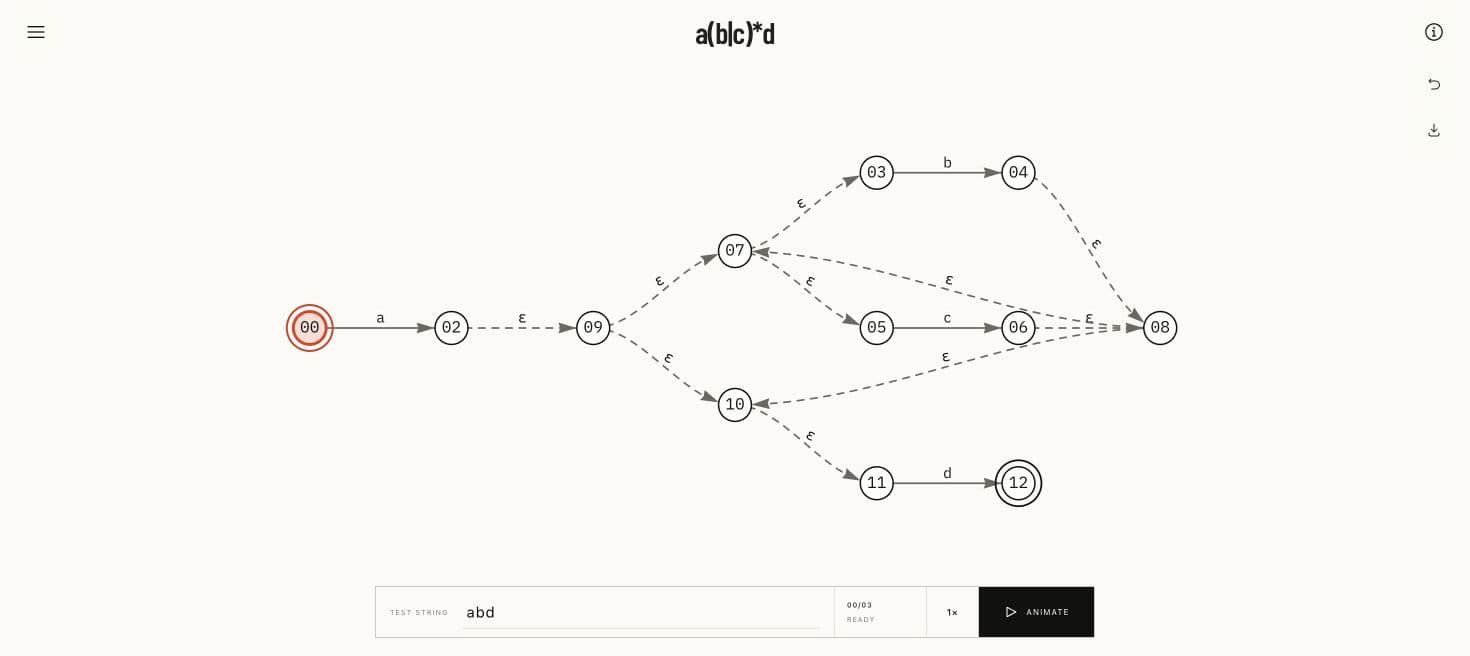
A full-canvas learning tool that turns regular-expression syntax into a visible state machine and shows exactly how an input moves through it.
The problem
A correct conversion result is not enough when the state structure, epsilon transitions, and active simulation path remain difficult to follow.
If construction and execution are hidden behind controls or dense panels, the learner sees an answer without building intuition for why it is correct.
My contribution
Frontend Engineer and Product Designer
Four-person academic project · Live
Redesigned the tool around a dominant NFA canvas with progressive-disclosure controls for expressions, guidance, graph utilities, and simulation.
Preserved regex parsing, Thompson construction, epsilon closure, input simulation, graph manipulation, PNG export, and URL-persisted expressions while simplifying the interface.
The choices behind the work
The interface treats the NFA as the primary artifact, keeps the active expression centered, and reveals authoring, guidance, export, and simulation controls only when needed.
Make the graph the workspace, not a card
Persistent side panels and toolbars competed with the automaton for limited screen space.
Use a full-viewport graph with floating expression, information, recenter, export, and simulation controls.
Keep the machine visible while controls appear only at the moment they are useful.
Some secondary actions require opening a drawer instead of remaining permanently visible.
Animate one clear simulation path
A full transport console added controls before a learner understood the basic run state.
Lead with one Animate action, a speed multiplier, and a live input tape that resolves to Accepted or Rejected.
Make the primary learning loop obvious while keeping simulation feedback close to the graph.
Outcome
Expression, guide, graph utility, and simulation controls float or open on demand without permanently reducing the visualization area.
Workspace, fullscreen graph, unified guide, and legacy About redirect share one responsive visual language and URL-persisted expression state.
What I learned
For educational visualization, progressive disclosure works only when the core artifact and current state remain continuously visible.
A near-monochrome graph can preserve semantic clarity through rings, dashes, labels, and motion instead of relying on color alone.
What comes next
Add optional construction-step playback so learners can inspect how each regex operator contributes fragments to the final NFA.
The redesign has not yet been evaluated in a structured classroom study or measured against learning outcomes.
Stack
- Next.js
- React
- TypeScript
- vis-network
- Radix UI
- Tailwind CSS